🦑 First of its kind library of Pre-Solved Ranges for Squid Poker

Study and Crush Squid Poker

The world's first GTO training platform for Squid Poker — also known as Standup Poker or the NIT Game. Precomputed ranges from a custom squid solver — study and drill before your opponents even know this exists.

Try For Free

An Ever-Growing Library of High-Impact Squid Spots

Solved across multiple squid formats and stack depths. For each format and stack depth, the highest-impact squid distributions are hand-picked and solved — the spots that come up most and matter most to your winrate.
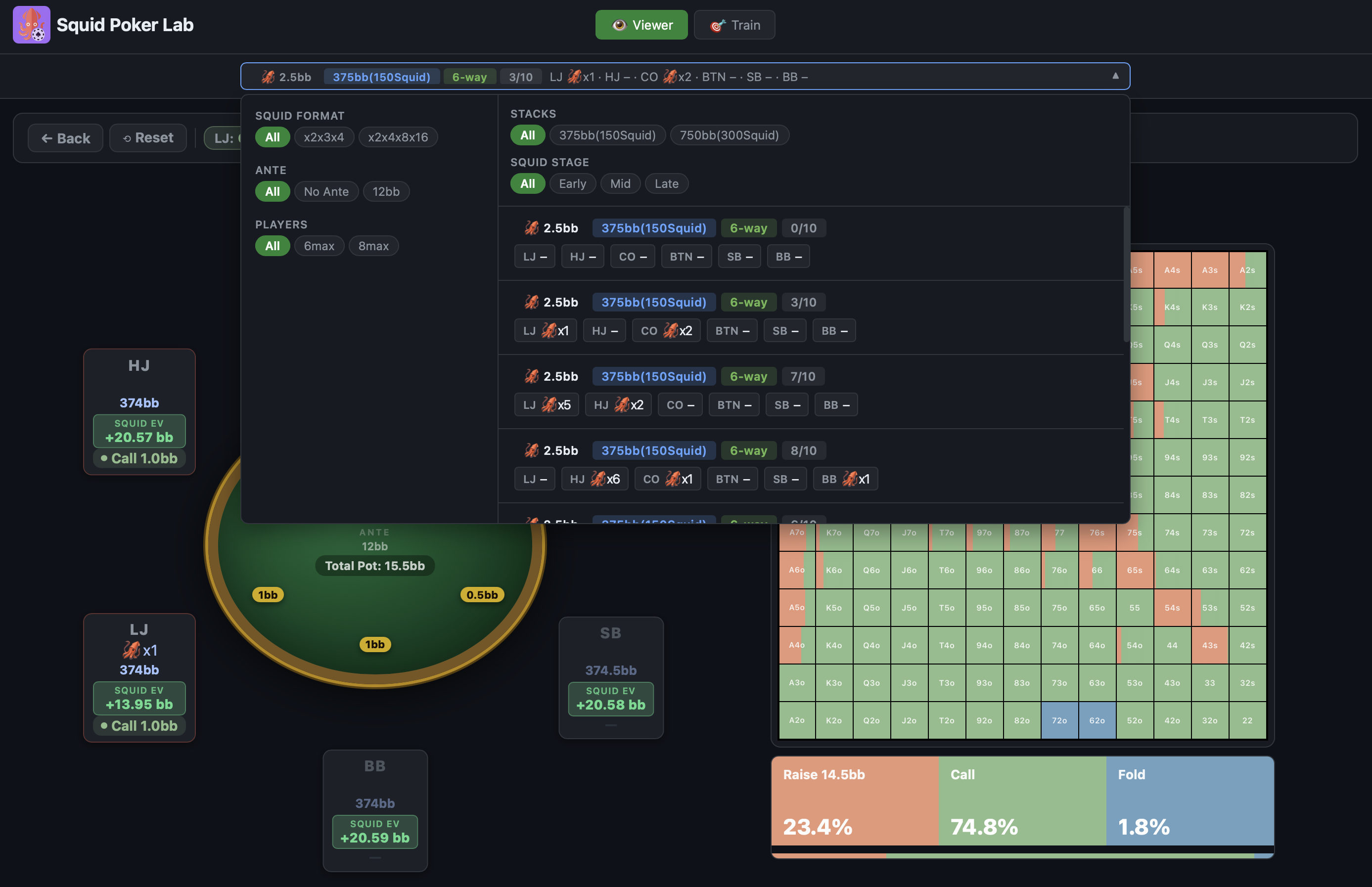
Squid Poker scenario selector showing 6-way and 8-way squid formats
Multiple Formats
Current library
6-Handed — 3(x2), 5(x4), 7(x8), 9(x16) with and without ante.
8-Handed — 3(x2), 5(x3), 7(x4).
More formats are being solved — e.g. 8-Handed with 3(x2), 5(x4), 7(x8), 9(x16) Multiplier — and will be added over the coming months.
Stack Depths
Multiple stack depths per format
Each squid format is solved at different stack depths. More variety of stack depths are being solved for existing formats and will be added shortly.
Curated Distributions
Only the highest-impact spots
Not every distribution — only the ones that come up most often or are the most strategically revealing. More distributions are being solved and will be added over time.
Growing Library
On average 1 new solve added per day
Subscribers get instant access to every new solve as it's added to the library.
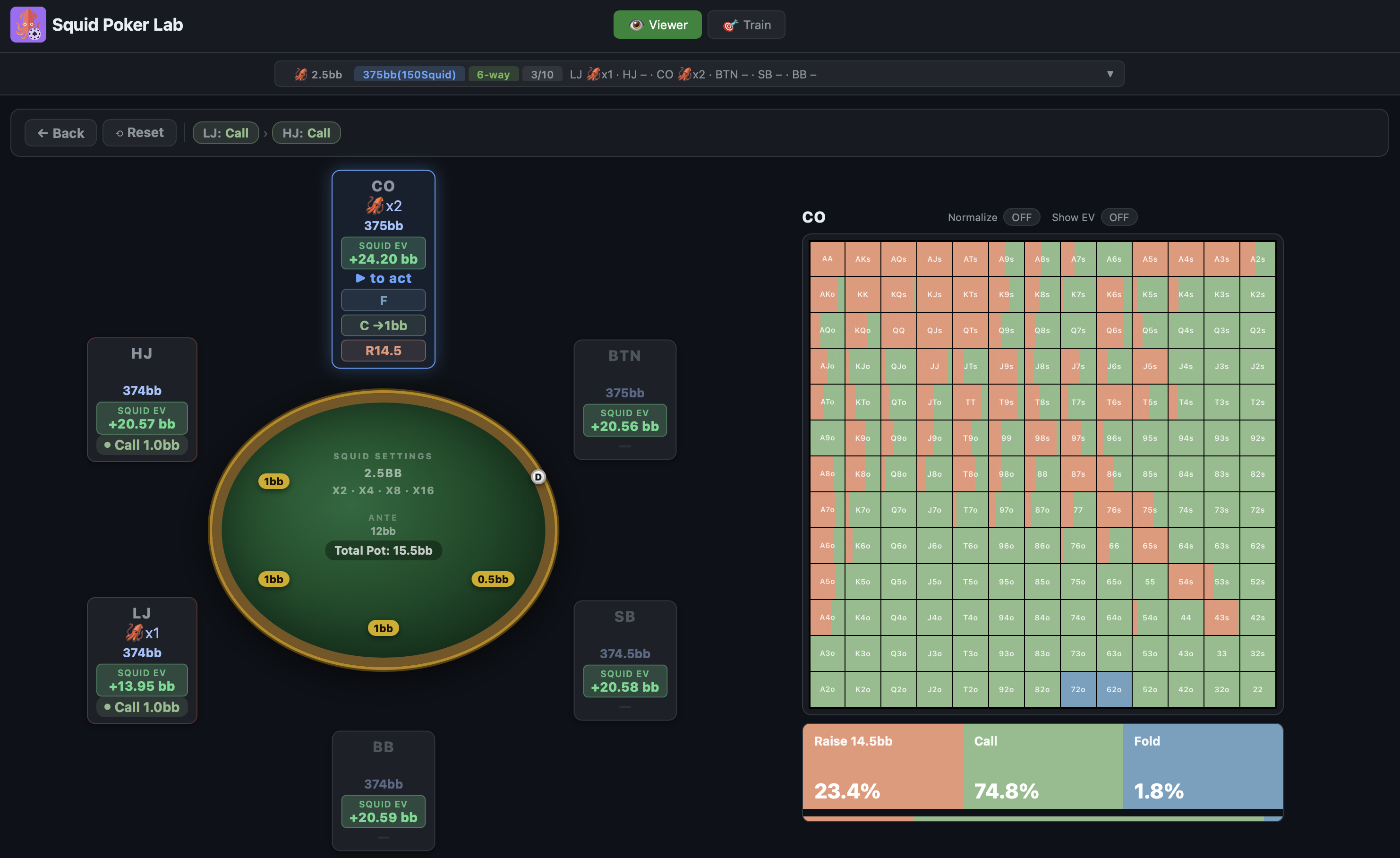
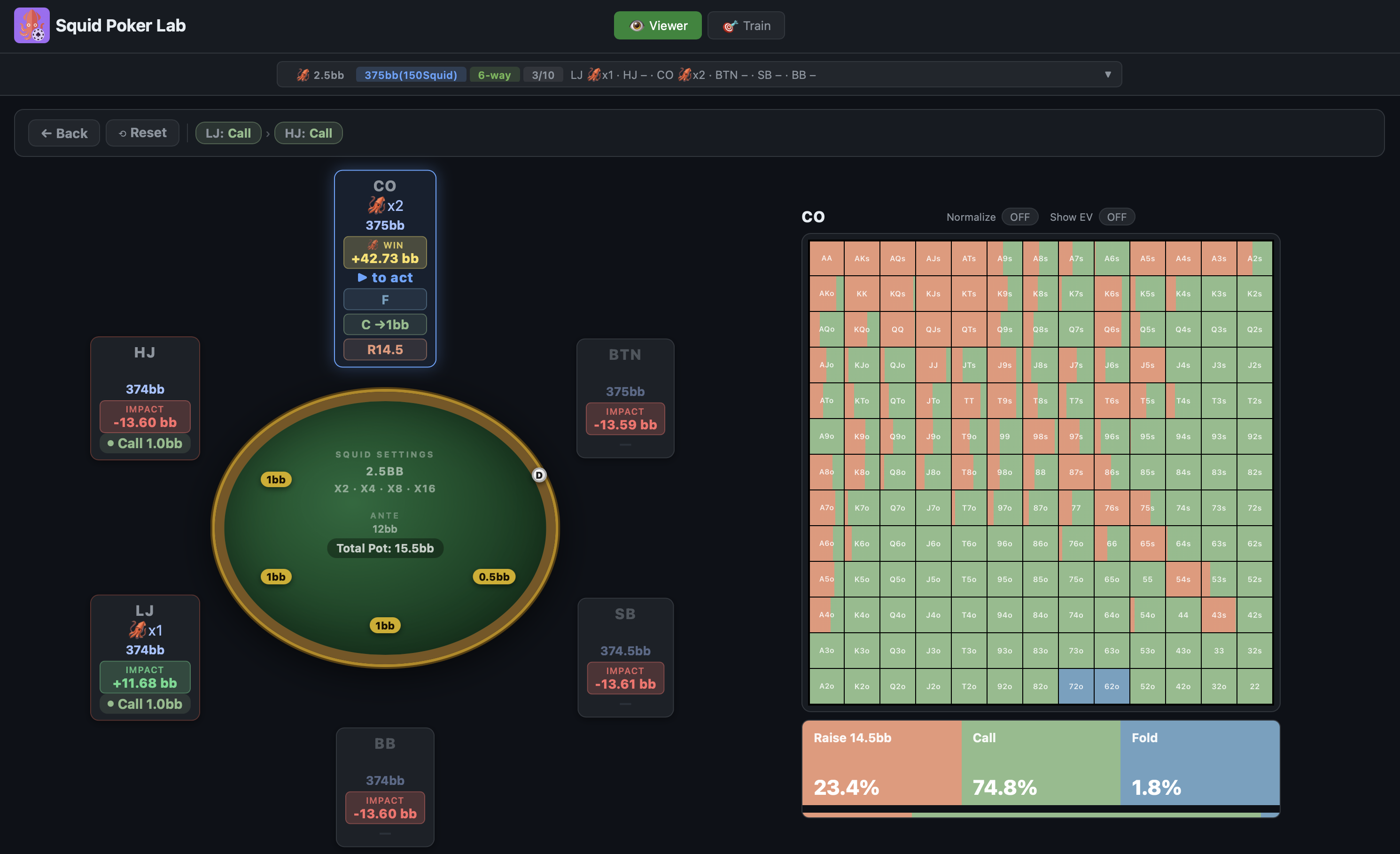
Navigate Every Node of the Preflop Game Tree

Step through the complete preflop solution tree action by action. At every node, see the exact GTO frequency and EV of every action for every hand.

Squid EV per seat
Squid Poker solver range viewer showing Squid EV per seat

Each seat shows its Squid EV — the difference between winning the squid and the average EV of losing it to every other player. Instantly see who benefits most from winning the current squid.

Hover for win EV & impact
Standup Poker preflop solution browser showing win EV and impact by seat

Hover over any seat to see the full breakdown — the exact EV gain if that player wins the squid, and the EV impact on every other player at the table.

🗺️
Tree Navigation
Step forward and back through any action sequence — explore every branch of the preflop tree.
🔭
Full Range Grid
Exact GTO frequencies and EVs for every hand combo at every decision node in the tree.
🦑
Squid EV
Win EV minus average loss EV — shows the true value of the squid for each player at the current node.
📉
Impact on All Players
See exactly how a squid win impacts the EV of every other player at the table.

Drill Your Decisions Against the Solver

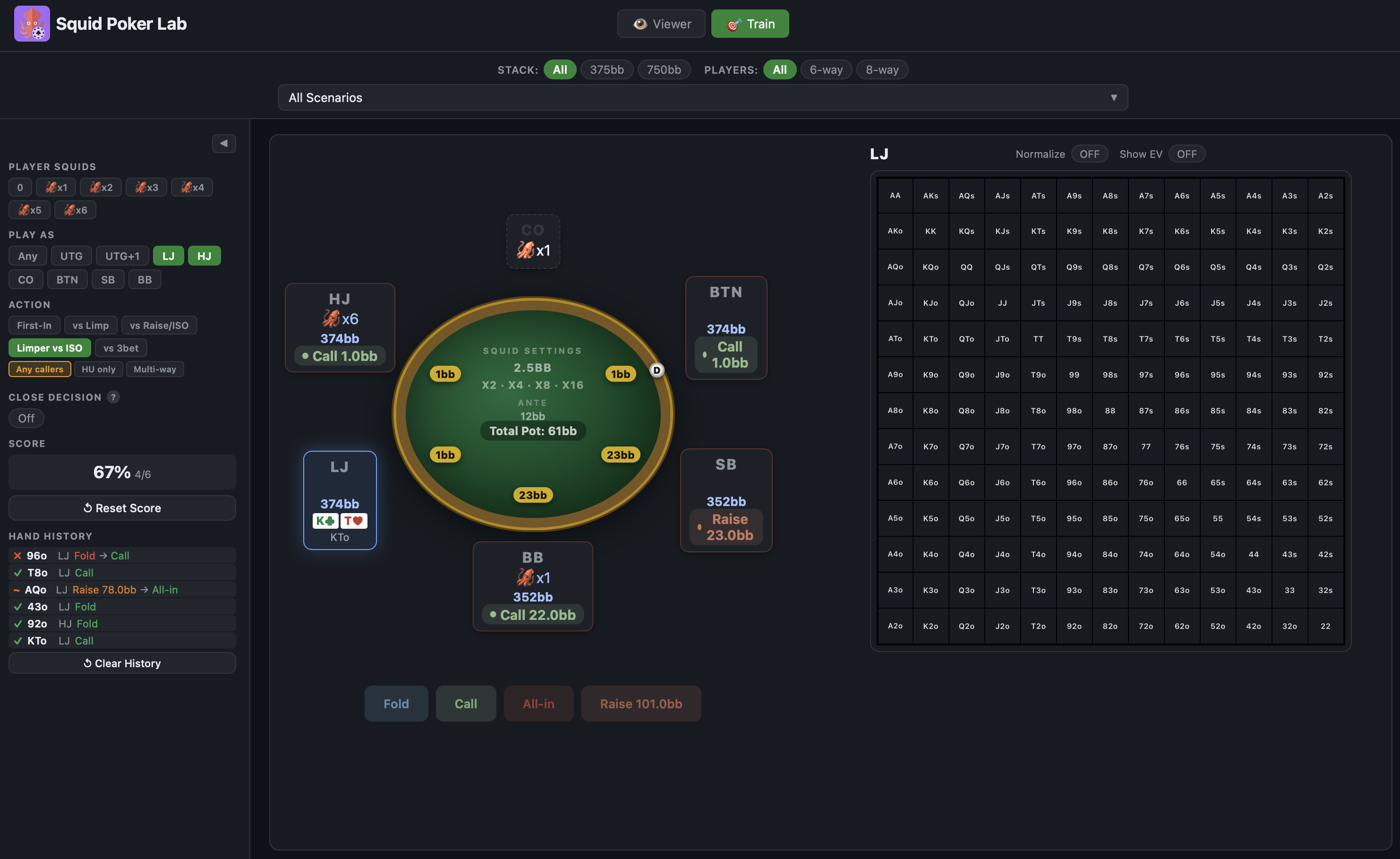
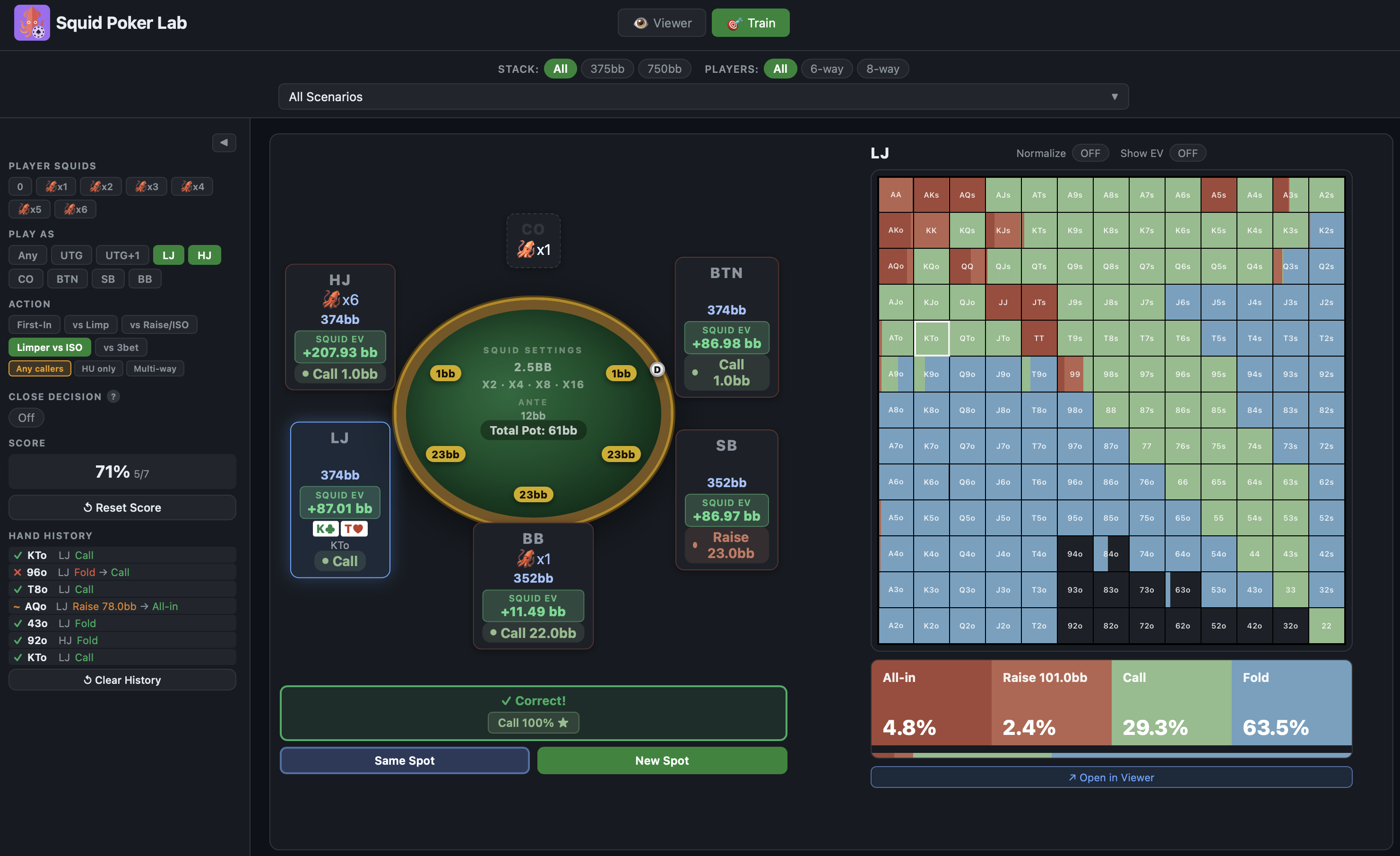
Get dealt a random hand at a real game node, choose your action, and instantly see whether you made the right play — with exact EV feedback and your full hand history tracked.

Make your decision
Squid Poker preflop trainer — choose your action against the solver
Instant feedback
Squid Poker trainer instant EV feedback after each preflop decision
🎲
Random Hand Dealing
Hands are dealt weighted by GTO reach frequency — you only see spots that actually come up. Train on the important nodes of the tree: e.g. limper facing an isolation raise, raiser facing a 3-bet, and more.
Instant EV Feedback
After each decision, see the EV of every action and exactly how much your choice gained or cost.
📈
Session Scoring
Your accuracy score and full hand history are tracked across the session so you can see your progress.
🎯
Close Decision Filter
Focus on the marginal spots where EV differences are razor-thin — the decisions that are hard and can go either way.

Native App for Mac OS & Windows

Squid Poker Lab runs as a native desktop application, with new solves appearing automatically as they're added to the library. The app comes with a free scenario so you can explore the full viewer and trainer before making a purchase decision. You'll also be able to see all scenarios currently available in the library — accessible with a license key.

Download for Mac OS Download for Windows

Up and running in minutes

1

Subscribe

Pay with USDT (ERC-20 or TRC-20). Your license key is emailed automatically within minutes of payment confirming on-chain.

2

Download & activate

Install the desktop app, enter your license key when prompted. The key binds to your machine on first use.

3

Start training

Pick a scenario, switch to Trainer mode, and start drilling. New scenarios appear in the app automatically as they're added.

1-Year Subscription
$5000
  • Complete Solution Browser
  • Full Featured Interactive Trainer
  • Every new scenario added during the year

Accepts USDT ERC-20 & TRC-20 · License key delivered by email · One machine per license

Common questions

What does the subscription include?
A one year subscription gives you full access to the desktop app and all solved scenarios for one year — all those available today and every new one added during your subscription period. The library is growing daily.
Which payment methods are supported?
Currently we only accept USDT on the Ethereum (ERC-20) and Tron (TRC-20) blockchains. Additional payment methods will be available soon.
Can I use the app on multiple machines?
Each license binds to one machine on first activation. If you need to transfer it to a new machine, email contact@squidpokerlab.com and we'll reset the binding.
What if I don't receive my key?
Check your spam folder first. If you still don't see it after 30 minutes, email contact@squidpokerlab.com with your transaction hash and we'll send the key manually.